

How to Integrate TikTok Lead Ads
How it works
Once the page is connected and subscribed, you will start getting leads from your TikTok ads.
How to integrate TikTok Leads Ads
To enable TikTok Ads as an integration, please head into the "labs" section located in your sub-account settings
Step 1: Enable the TikTok feature first within 'Labs'
Sub-account 'Settings' > Click on 'Labs' > 'Enable' TikTok integration

Step 2: Click on the 'integration' tab & login
Now that the TikTok Integration is live in your sub-account. Please proceed to log into your TikTok Business Account

Check all permissions (enabled by default) > Click 'confirm'.

If you have multiple advertiser accounts please select the advertiser account you wish to connect.
Once the account is selected the tab will automatically close and your TikTok business account will be integrated.

Please note:
You can change the advertiser account at any time by clicking the change advertiser account button.

Step 3: Map Fields and or create Custom Fields
Once your Tiktok business account is connected, please navigate to the TikTok form mapping tab to see all the pages/forms you have created in the TikTok business

Click on the 'Map Fields' button to map your form fields with the CRM fields. Click on Update to save your changes and subscribe to the page

Please Note:
Supported Custom Fields when using TikTok Lead Ads:
- TEXT
- LARGE_TEXT
- NUMERICAL
- PHONE
- MONETARY
- SINGLE_OPTIONS
- DATE

Step 4: Create your TikTok Lead Ads Workflow
Once your Tiktok business account is connected, please navigate to the TikTok form and submit the form to see if leads are being added to the CRM. Be sure to set up a workflow.
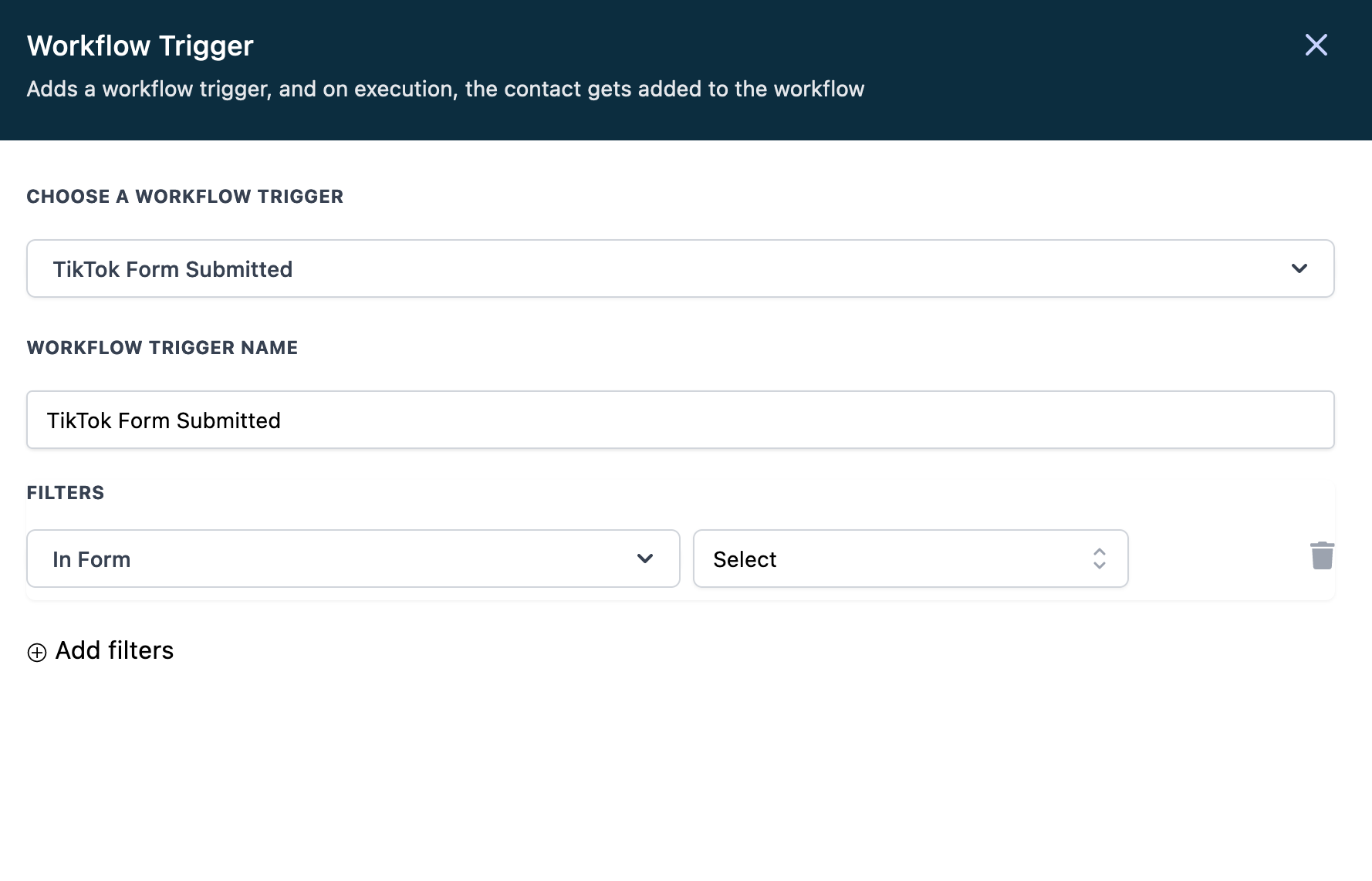
The workflow should have the Workflow trigger "TikTok Form Submitted" > Add filter > Select the Lead form you just created
Please Note
Troubleshooting
I see an error message No pages for this account. What should I do?
If you come across this error while integrating your business account, please make sure you have created an instant form in your TikTok business account. Please follow these steps.
My TikTok 'Access Token' is expired. What should I do?
If your access token is expired, please disconnect your account from the CRM integration page. Once you re-integrated, the CRM will generate a new access token. if you continue to have this issue, please notify the support.
I changed a question on my Lead Ad Form during a live campaign. What should I do?
Let's say you just updated your lead ad form within TikTok to capture a new desired response. You will need to head back into your sub-account settings and make sure you create a custom field for the new desired response. Once this is complete head back into the 'TikTok Form Fields Mapping tab' hit the edit button and select the new custom field you had just created.
If you want to stop all inbound leads just toggle the status off:

Can the same TikTok account ID be connected to multiple sub-accounts in HL (same agency or across different agencies) without issues?
Yes, as long as both accounts have the TikTok Form fields mapped.
What are all the permissions on TikTok that the person who connects the integration will need to maintain so that the integration token does not expire?
Only LeadConnector needs to be granted permissions and that is taken care of when the integration is connected. User permissions and access are not an issue.
What would cause the integration token to expire and how can we minimize it on our side to assure a stable integration?
Tiktok grants the CRM a permanent access token so the integration should remain intact unless broken off by the user manually. We will be displaying an Integration expired message under the TikTok integration option in settings> Integration