

How to Set Up and Receive Voicemails
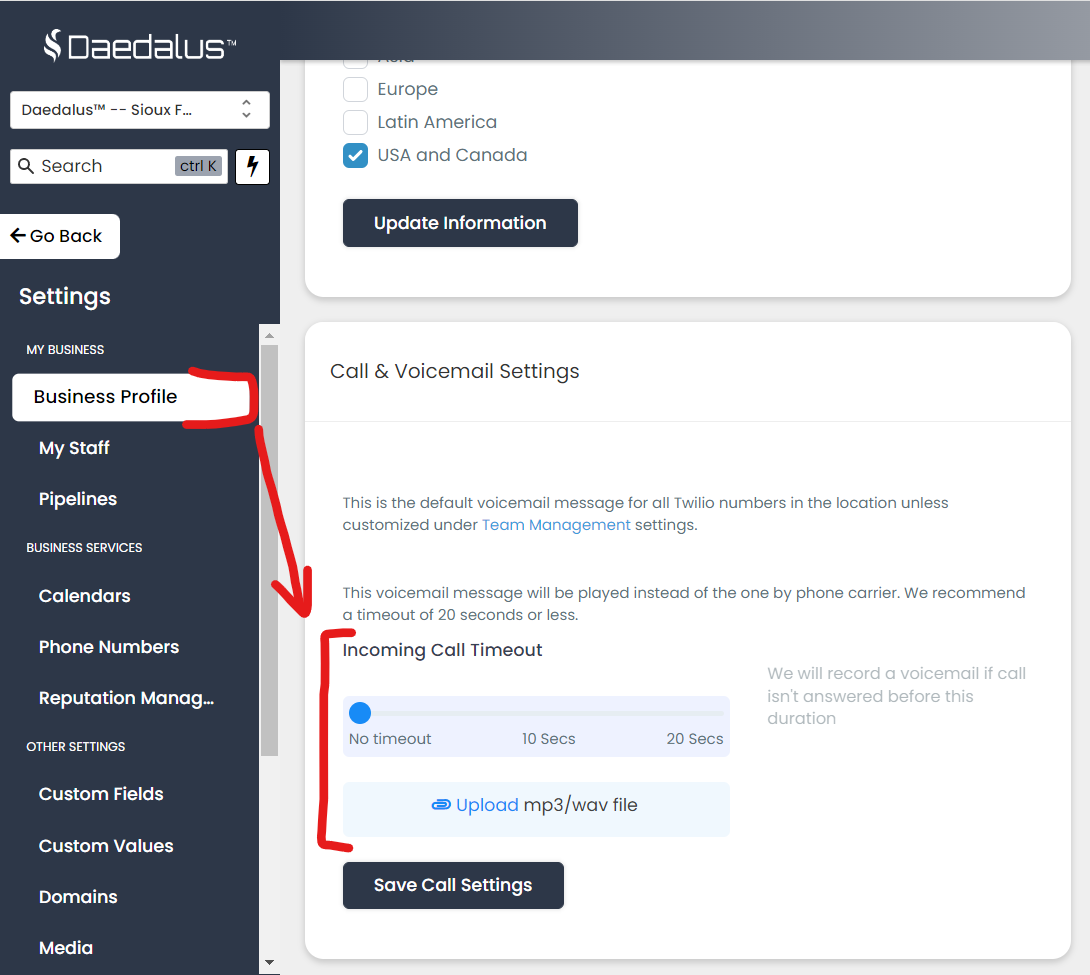
Where To Upload Voicemail Files
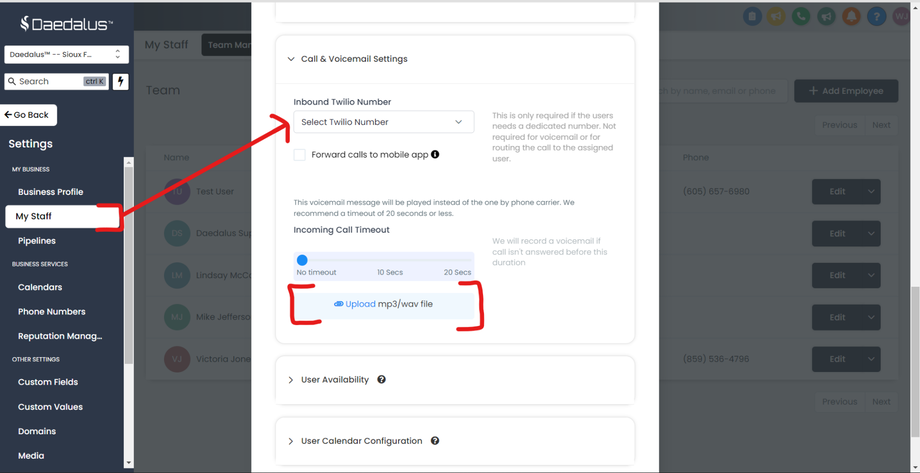
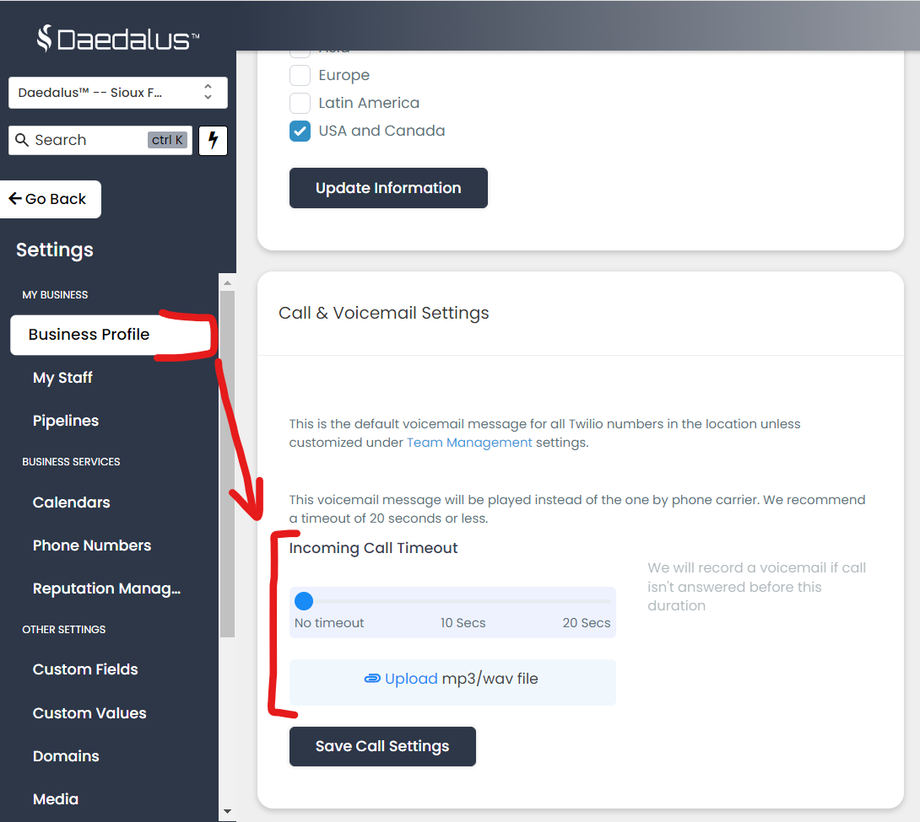
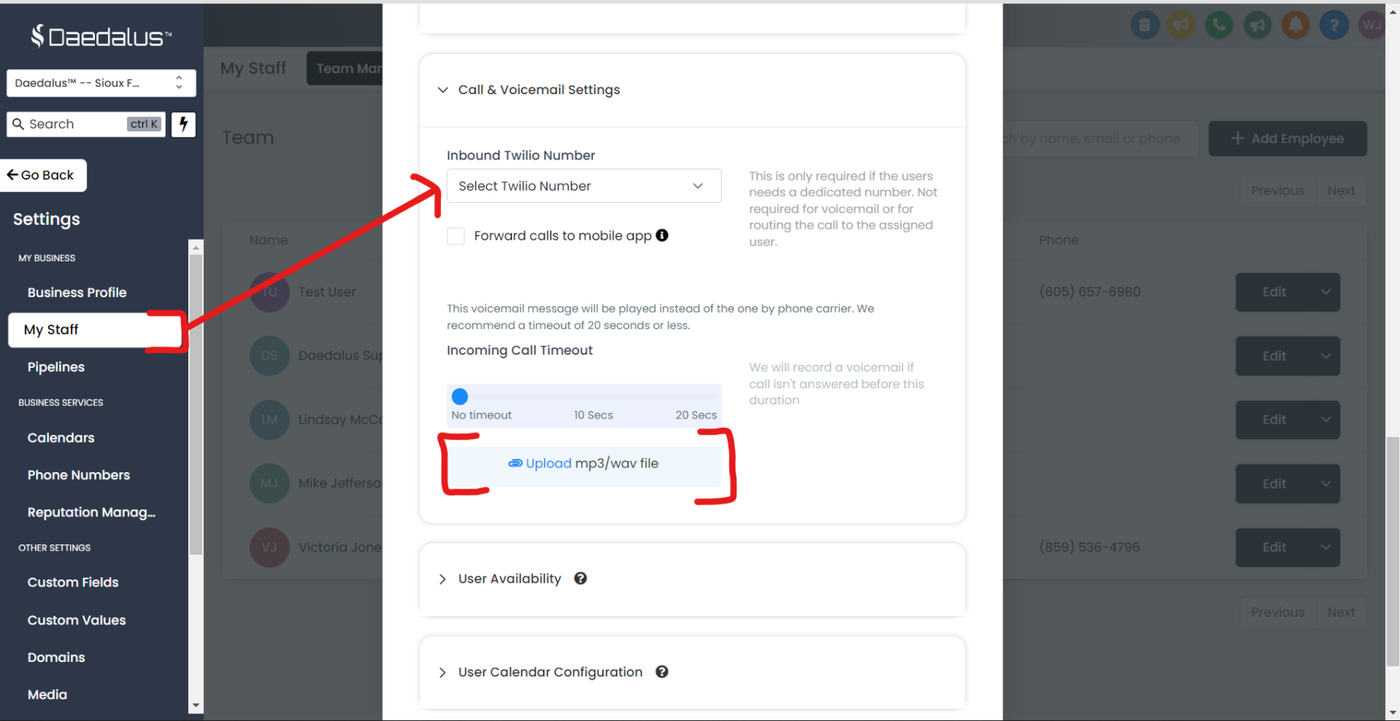
Voicemail files (mp3 format) can be set in two different places:
- Voicemail For Users - Sub Account > Settings > Team Management tab > Edit user > Call & Voicemail Settings
- Voicemail For The Business - Sub Account > Settings > Company tab
Understanding Voicemail Priorities:
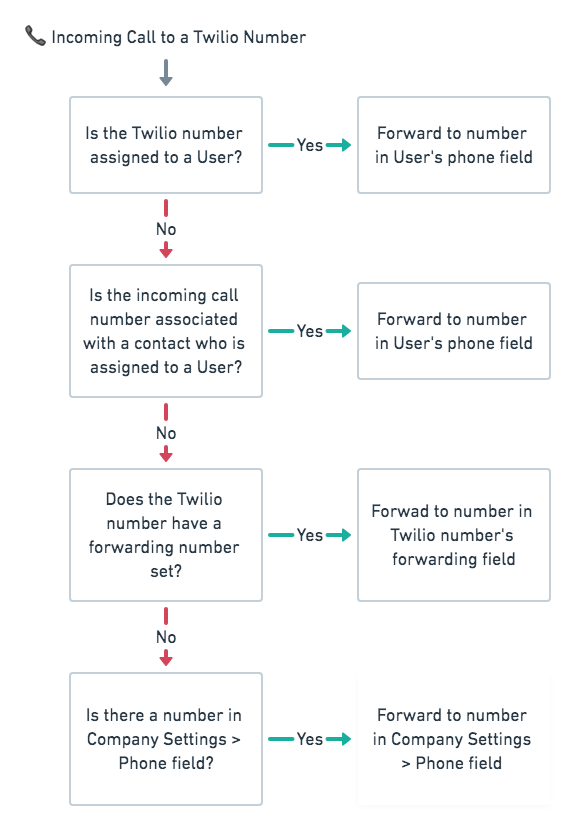
When a call comes in, the system will check to see the following:
- Does the inbound call have an 'assigned' user
- If yes, is there a Voicemail file attached to the assigned "User Profile" setting
- If no, the system will check to see a Voicemail file in the "Business Profile."
Note:
If you'd like to set up voicemail for a phone number that forwards to another number, you'll likely need to set up a "Timeout." Otherwise, the call rings by default for 60 seconds, during which time the voicemail of the forwarding number will usually trigger.
Where To Control Timeout Settings
Timeout numbers can be set in three different places:
- Sub Account > Settings > Team Management tab > Edit user > Call & Voicemail Settings
- Sub Account > Settings > Phone Numbers > Pencil Icon for a specific phone number
- Sub Account > Settings Company Tab
Understanding Timeout Priorities & Settings:
When a call comes in, by default, the call will ring for 60 seconds before looking for a voicemail unless a Timeout number has been set.
The system will look for timeout settings in the following order:
- Is a Timeout number set within the 'assigned user' profile?
- is a Timeout number set within the sub-account settings > Phone numbers
- Is a Timeout number set in the "Business Profile"?
Other Notes:
When receiving an inbound call and a Timeout has been reached, but no voicemail files are found (user and business profile), the following default message will be played:
"We are unable to take your call right now. Please leave a message after the beep."
in the event, a call comes into a number and the system detects a timeout number set in the User's settings (but that user doesn’t have a voicemail file) and there's a voicemail file in the Company settings, we will play the voicemail file from the Company settings.
"We are unable to take your call right now. Please leave a message after the beep."
in the event, a call comes into a number and the system detects a timeout number set in the User's settings (but that user doesn’t have a voicemail file) and there's a voicemail file in the Company settings, we will play the voicemail file from the Company settings.